There are 47 SEO tools in one roundup I read last month. You need three. Maybe two.
The problem is not a shortage of options. It is knowing which tool solves the specific problem your content team actually has. Most teams buy the most recognisable brand. That is how you end up paying $250 a month for a platform and using it to check keyword difficulty three times a week.
This comparison covers three tools that appear consistently at the top of the results for SEO content tooling: SEMrush, Surfer SEO, and Frase. All three are worth money for specific teams. None of them is right for every team.
The quick answer: if your content work is one part of a broader SEO programme that includes auditing, rank tracking, and competitive research, SEMrush. If writing better content is the specific problem you are trying to solve, Surfer SEO. If research and writing are one continuous task and you want SERP analysis, content scoring, and AI drafting in one environment, Frase.
Quick comparison
| SEMrush | Surfer SEO | Frase | |
|---|---|---|---|
| Best for | Multi-function SEO + content | Writing and optimising content | Research, drafting, and optimising in one workflow |
| Content tools from | Guru — $249.95/month | All plans — from $89/month | All plans — from $49/month |
| Free trial | 7 days | None | 7 days |
| Google Docs integration | Yes | Yes | No — built-in editor |
| Keyword research | Yes — full | Basic only | SERP-based |
| Site audit | Yes | No | Content audit only |
| Rank tracking | Yes | No | No |
| User seats | 1 (extras paid) | 1–5 by plan | 1–5 by plan |
What makes a content SEO tool worth buying
Every tool in this category does a version of the same thing: analyse the top-ranking pages for your target keyword, extract patterns, and tell you what your content is missing. The difference is how useful those patterns are in practice, how well the tool fits your team's actual workflow, and whether the starting price includes what you need.
Four questions I used to evaluate each:
Does the content it guides you to produce actually rank — not in vendor case studies, but for ordinary teams working on competitive topics?
Does it fit how writers work? Tools that require writers to leave Google Docs or WordPress add friction. Friction kills adoption faster than any feature shortcoming.
Is the pricing honest? Does the starting plan include the features you actually need, or are they gated behind a higher tier?
Where does it fall short? Vendor marketing never answers this question. Most comparison posts do not either.

SEMrush
SEMrush is not primarily a content creation tool. It is a data platform with a content creation module built in. That distinction is worth understanding before you pay for it.
The platform covers over 55 tools: keyword research, site auditing, rank tracking, backlink analysis, competitive intelligence, PPC data, and content creation. If your content work is one part of a broader SEO programme — and you need all of those other functions — SEMrush consolidates them into one interface and removes the cost of managing three or four separate tools.
The content-specific tools — SEO Content Template, On-Page SEO Checker, Topic Research, and SEO Writing Assistant — are available on the Guru plan at $249.95/month. They are not included in the Pro plan at $139.95/month. That is not buried in small print. It is just not what the pricing page leads with.
SEO Content Template analyses the top 10 ranking pages for a target keyword and returns semantically related terms, a word count range, and readability benchmarks. It is a useful brief skeleton — 15 minutes of work produces a document that covers the major content signals for the target keyword. The word count recommendation reflects what currently ranks, not what is necessary to rank. Match the depth the topic requires, not the number.
SEO Writing Assistant grades content in real time as you write. It integrates with Google Docs and WordPress so writers get feedback without leaving their environment. The grade covers keyword usage, readability, and tone consistency. It is not as granular as Surfer's content editor, but it is built into a platform many teams already use for everything else.
Topic Research maps related questions and subtopics from People Also Ask data and related searches. It is most useful at the cluster planning stage — identifying which subtopics deserve their own pages versus which belong inside a longer guide.
On-Page SEO Checker audits existing published pages against current top-ranking competitors and flags thin content, keyword cannibalisation, missing structured data, and internal linking gaps. More useful for identifying underperforming content than for creating new content.
Where SEMrush content tools fall short: real-time content scoring with the depth and precision of Surfer SEO. The Writing Assistant is a useful QA layer. It is not a writing environment. If writing better first drafts is the specific problem, Surfer is the more precise instrument.
Who it is for
Teams that need keyword research, site auditing, rank tracking, competitive intelligence, and content tools in a single interface. Agencies managing multiple client properties. In-house teams running structured SEO programmes across more than one website.
Who should skip it for content specifically
If writing better content is the only problem you are trying to solve, SEMrush is a $249.95/month answer to a problem that Surfer solves for $89/month. The content tools are good. They are not $160/month better.
Pricing
Guru — $249.95/month (content tools included, 15 projects, 1,500 tracked keywords). Pro — $139.95/month (content tools not included). Annual billing reduces each by roughly 17%. 7-day free trial with full Pro access, no credit card required.
For a full breakdown of every SEMrush feature — keyword research, site audit, backlink analysis, rank tracking, and the 2026 Semrush One AI visibility plan — read the SEMrush Review 2026.

Surfer SEO
Surfer SEO is what you buy when writing better content is the specific problem. It is not an all-in-one platform. It does not do rank tracking, site auditing, or keyword research at any meaningful depth. It does one thing well: analyse the top-ranking pages for your target keyword and score your content against their patterns in real time as you write.
The Content Editor is the core feature. Open a target keyword, and Surfer generates a content score from 0 to 100, a recommended word count range, a suggested heading structure, and a list of semantic terms to cover. The score updates as you type. A score above 67 correlates with first-page rankings for moderate-difficulty terms — not guaranteed, but the correlation is documented and genuine.
What distinguishes Surfer from the other tools in this category is the SERP Analyser. Most content tools tell you which terms appear across top-ranking pages and present them as recommendations. Surfer identifies which factors are consistent across the top 10 results and which are outliers, then weights recommendations accordingly. You are being told what this specific keyword, in this specific SERP, actually rewards — not what the average page does.
The Google Docs integration is the most practically important feature for adoption. Writers work in Google Docs. The Surfer panel sits in the sidebar and updates the content score as they type. No tool switching, no exporting. This is not a minor convenience — it is the difference between a tool that gets used and one that gets installed and forgotten.
In 2026, Surfer added content auditing — grading existing published pages against the current SERP and identifying which need refreshing and why. It also surfaces which of your tracked keywords trigger AI Overviews and what content factors the AI-cited pages share.
Where it falls short
No rank tracking. You will not know whether the content Surfer helped you write is ranking without a separate tool.
No site audit. Technical SEO is entirely outside scope.
The scoring algorithm is a black box. When Surfer recommends a specific term, it does not always explain the reasoning. Experienced writers can push back when a recommendation would harm readability. Less experienced writers sometimes produce content that reads like keywords loosely assembled into paragraphs. The score is a guide, not a prescription.
No free trial. You commit financially before you test it.
Who it is for
Content writers and editors who want real-time feedback on whether a draft covers the topic thoroughly enough to rank. Small content teams whose primary constraint is content quality, not platform breadth.
Who should skip it
Teams that also need rank tracking, site auditing, or competitive research. If content writing accounts for 20% of your SEO programme, Surfer's narrow focus becomes a liability.
Pricing
Essential — $89/month (1 user, 30 articles/month). Scale — $129/month (unlimited articles, 5 users). Business — $219/month (custom limits). Annual billing reduces each by approximately 17%. No free trial.

Frase
Frase starts where most content tools leave off: before the blank page.
Enter a target keyword and Frase pulls the top-ranking SERP results, extracts their headings, word counts, topic coverage, and key statistics, and assembles a research document in under two minutes. What would take an hour of manual competitor reading takes two minutes. That is the core value proposition — not the AI writing, not the content score, but the research speed.
The content editor then scores your draft in real time against the same SERP data. The score reflects how completely your content covers the topics present across the competing pages. A score of 70 or above typically means the content covers the topic with the breadth of the pages currently ranking.
Where Frase differs from Surfer is the research-to-draft flow. Surfer assumes you have done your research and need help optimising as you write. Frase is built around doing both in the same environment — SERP research, outline, draft, and optimise, without switching tools. For teams that treat research and writing as one continuous task, that integration removes real friction.
The AI writer generates outlines and sections anchored in what the top-ranking pages actually cover. The output requires editing — it is a starting draft, not finished copy — but it is a faster starting point than a blank document briefed from memory.
In 2026, Frase added AI Visibility tracking across up to five platforms, content auditing that grades published pages against the current SERP, and auto internal linking. The audit feature flags pages that have drifted below the current benchmark, making refresh decisions data-driven rather than calendar-driven.
Where it falls short
No rank tracking. You will not know whether your published content is ranking without a separate tool.
The content scoring is less granular than Surfer's SERP Analyser. Surfer identifies which factors are consistent across the top 10 results versus which are outliers. Frase gives you frequency-based term coverage. For teams that need precision at the article level, Surfer's depth is stronger.
Article limits constrain the Starter plan. Ten AI-optimised articles per month is a hard cap. Teams publishing more than ten pieces of new content monthly need the Professional plan at $129/month.
No native Google Docs extension — writers work inside Frase's own editor, not inside the tool they already use.
Who it is for
Content teams that do research and writing in the same workflow. Teams producing 10 to 40 pieces of content per month who want SERP research, content scoring, and AI drafting in one tool. Writers who find Surfer too narrow — Frase covers more of the content lifecycle from a single interface.
Who should skip it
Teams whose only problem is real-time scoring while writing — Surfer is more precise for that, and integrates with Google Docs. Teams that need rank tracking or technical site audit — Frase does neither. Solo writers publishing under ten pieces a month — the free tier of Google Search Console covers the research gap at that volume.
Pricing
Starter — $49/month (1 user, 10 AI-optimised articles/month, 50 audit pages, 7-day free trial). Professional — $129/month (3 users, 40 articles, 250 audit pages). Scale — $299/month (5 users, 100 articles). Annual billing reduces each by approximately 20%. 7-day free trial with full feature access, no credit card required.

How to choose
The decision is simpler than most comparison articles make it.
Buy SEMrush (Guru) if you need keyword research, site auditing, rank tracking, competitive intelligence, and content tools in one place. You manage more than one website. You run an agency or in-house team with reporting requirements and cannot afford separate tools for each function.
Buy Surfer SEO if writing better content is the specific problem. You already have keyword research covered — even Google Search Console handles this at a basic level. You want real-time feedback as writers type, not a post-publishing audit.
Buy Frase if research and writing are one continuous task for your team. You produce 10 to 40 pieces of content per month and want SERP research, content scoring, and AI drafting in one environment. You have keyword targets already identified and need a faster path from blank page to optimised draft.
Do not buy any of them if you have one site, publish once a month, and have not yet connected Google Search Console. The bottleneck at that stage is not tooling — it is strategy and execution. If you want content produced to a brief rather than tools to brief yourself, that is what we do.
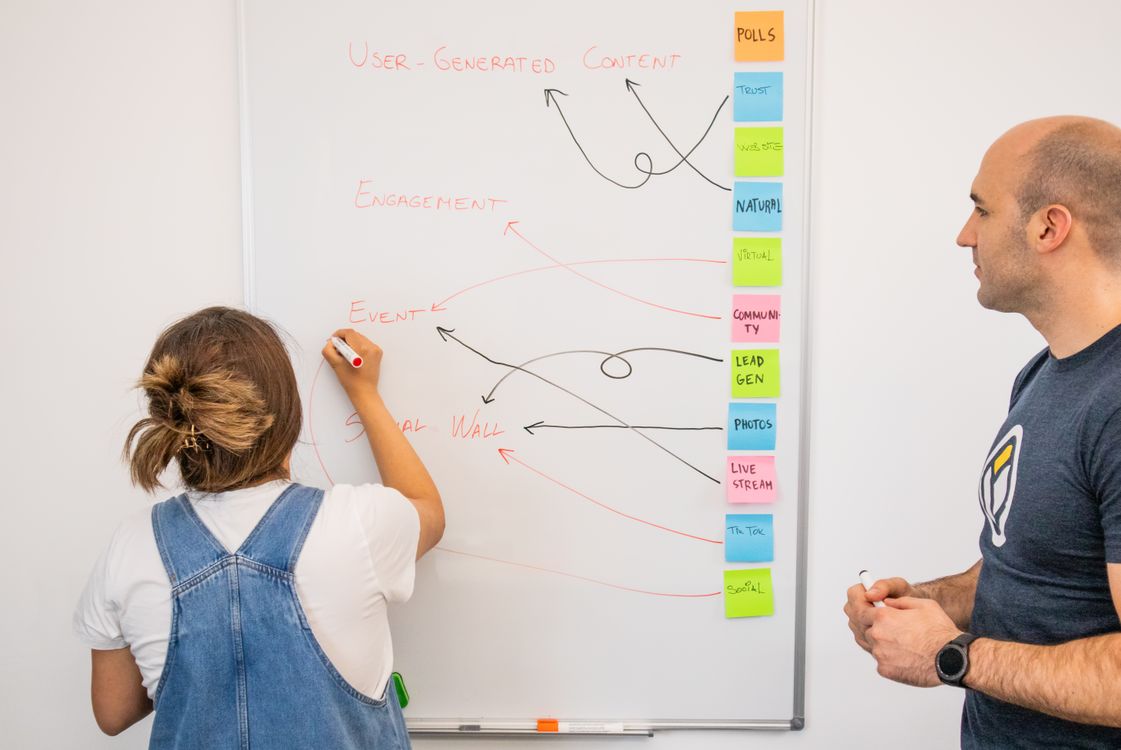
The workflow none of the vendors document
SEMrush, Surfer, and Frase each cover a different stage of content production. None covers all three. This is how they connect in a real weekly workflow.
Stage 1 — Research and prioritisation: SEMrush (or Ahrefs, or Google Search Console). Identify which keywords to target, assess their difficulty against your domain's topical authority, and map the content cluster. This stage is entirely outside Surfer and Frase's scope. Getting it wrong means producing well-optimised content on topics no one searches for.
Stage 2 — Brief and outline: Surfer SEO's Outline Builder or SEMrush's SEO Content Template. Either generates a heading structure and semantic term list in under 10 minutes — faster than manual competitor review and anchored in what the current SERP rewards.
Stage 3 — Writing: Surfer SEO's Content Editor with the Google Docs integration. The writer sees the score update as they type. A score of 67 or above before the draft goes to an editor is a practical first-pass threshold.
Stage 4 — Optimisation check: Frase. Run the final draft through the content score. A score of 70 or above before publishing is a practical first-pass threshold for topic coverage. If the score is below that, the Frase research panel shows which topics the competing pages cover that your draft does not — return the draft with those gaps marked.
Stage 5 — Post-publishing tracking: SEMrush or Ahrefs. Track keyword position over the first 90 days. If the page has not entered the top 20 within that window, check for technical issues first, link equity second, content depth third.
The total cost of running all three tools is approximately $388/month at base plans. That is less than the cost of one piece of content that does not rank.
When free tools are enough
A lot of content teams assume they need a paid tool before they have exhausted the free layer. They do not.
Google Search Console gives you actual search data — real clicks, real impressions, real positions, real click-through rates by query. It is the most reliable SEO data available and it costs nothing. If you are not checking it weekly, a paid tool is not the solution.
Ahrefs Webmaster Tools (free tier) adds basic site audit and backlink visibility. Combined with GSC, it covers most of what a single-site operator needs.
The paid tools earn their keep when you are publishing consistently — at least weekly, across a content strategy with clear keyword targets — and the volume of work justifies the cost. Below that threshold, the bottleneck is strategy and execution, not tooling.
Final verdict
SEMrush, Surfer SEO, and Frase are three different answers to three different questions.
SEMrush answers: how do I manage SEO across a complex, multi-function programme in one place? Surfer answers: how do I write content that ranks? Frase answers: how do I research, brief, and write content that covers the topic as completely as the pages currently ranking?
Buy the one that matches the question you are actually asking. If you are not sure which question that is, start with the 7-day SEMrush trial — run the site audit, run the keyword gap report, and see which problems surface. The answers usually make the tool decision obvious. For a full breakdown of SEMrush on its own, read the SEMrush Review 2026. For a dedicated Frase review with SERP research walkthrough and full pricing breakdown, read the Frase Review 2026.